Allow rm -rf build?
Coming soon to the App Store
Never keep your agents waiting.
Wierdr brings every coding agent on your Mac to your iPhone and iPad. See who needs you at a glance, jump into its live terminal and keep the work moving — from anywhere.
Coming soon to theApp Store
View on GitHub
Works with
Claude Code
Codex
pi
Sound familiar?
Agents work for hours.
Then they stop and wait for you.
A permission prompt. A question. A finished task. Step away from your desk and they sit idle until you're back. Wierdr tells you the moment they need you — and lets you answer right away.
Fix the login redirect
Refactor the sidebar rows
At a glance
Every agent.
One list.
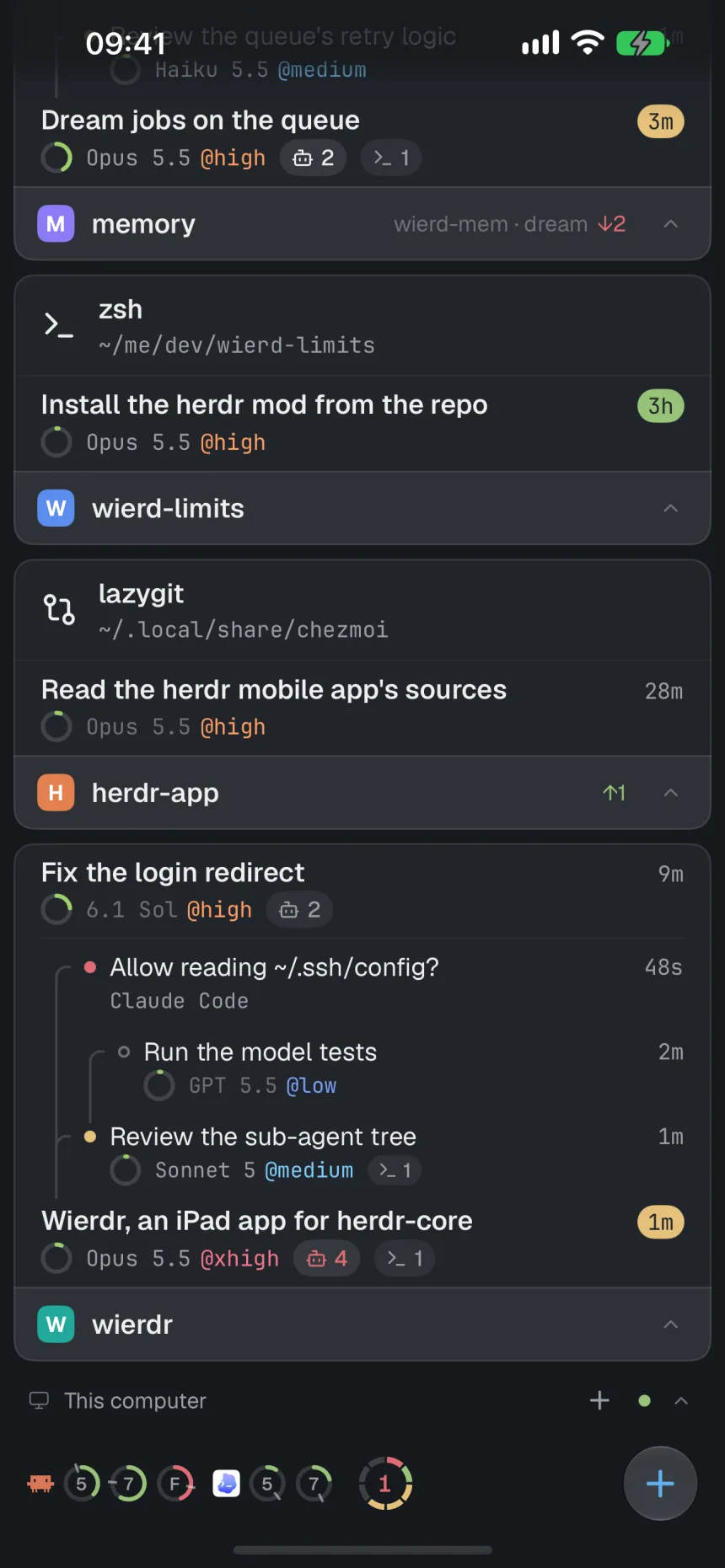
All your spaces, tabs and agents — on your Mac and every machine it's connected to. Color-coded by status, with the model, reasoning effort, context and sub-agents right there.
- Needs you, done, working, idle — clear in a glance
- Sub-agents and teammates in a live tree
- One tap takes you to whoever needs you next
Real terminals
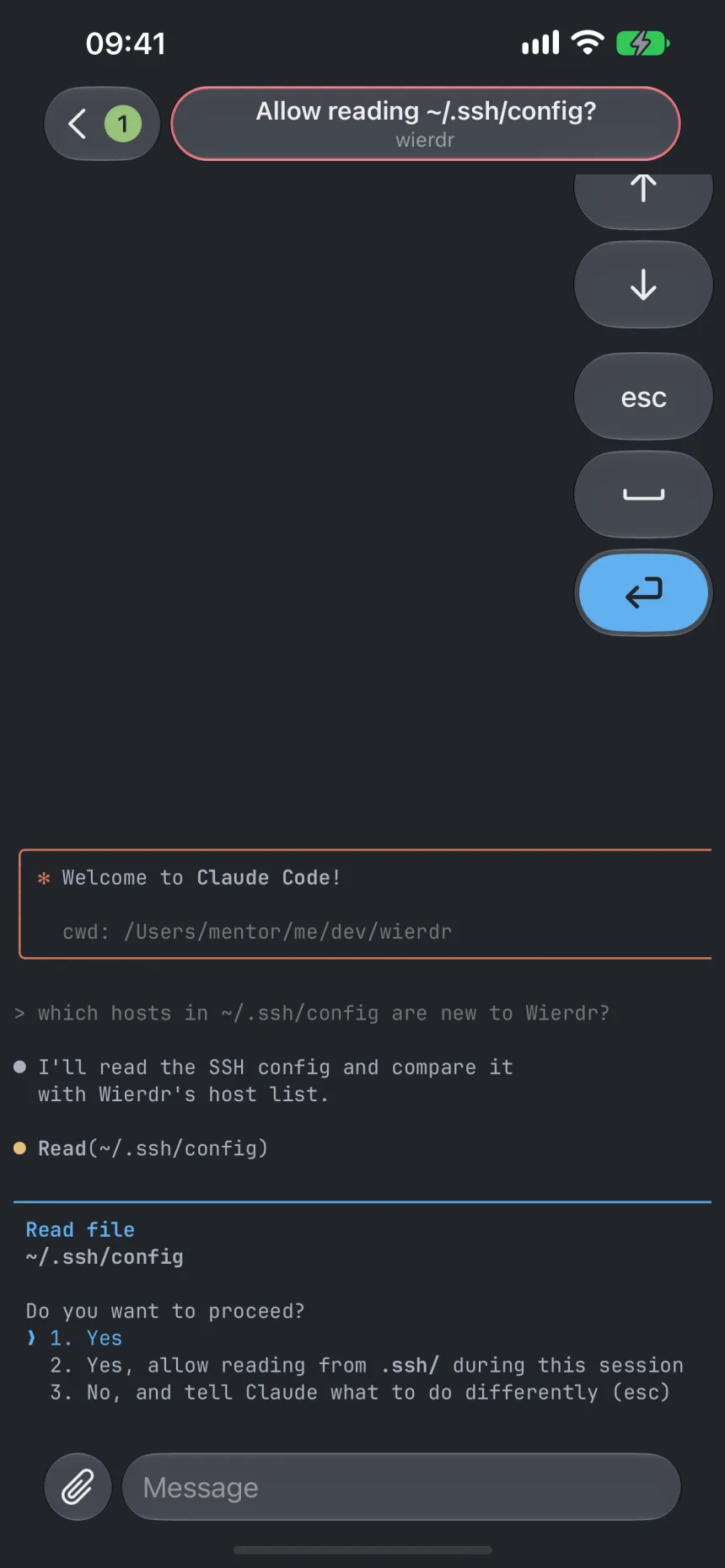
Reply right in the terminal.
Not a chat imitation — the agent's real, live terminal. Approve a command with one tap, answer a question, send the next prompt.
- A full terminal: Claude Code, Codex, pi, vim and btop just work
- A key panel for Esc, arrows, Tab and Return
- Type, dictate, paste a screenshot or send a photo
Live Activity
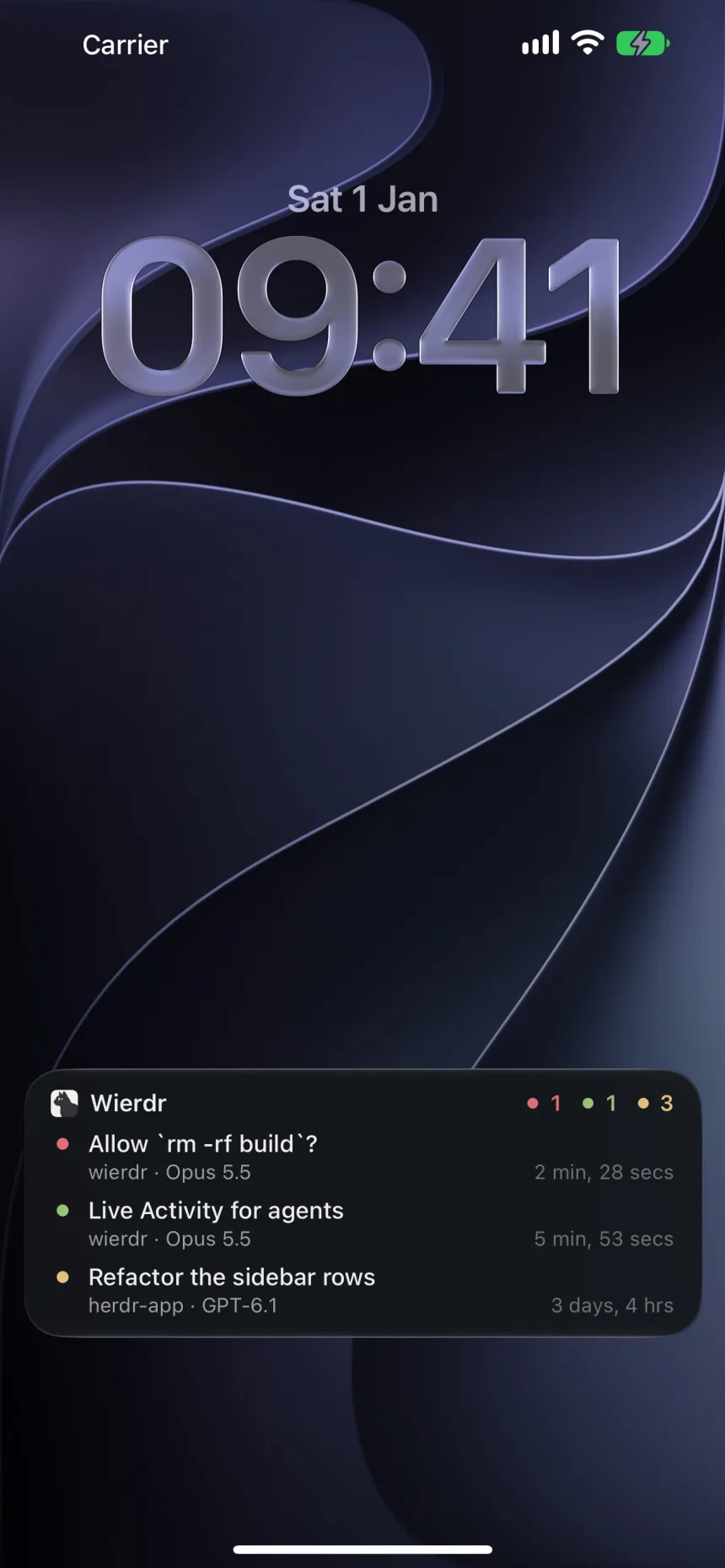
Your agents, on your Lock Screen.
A Live Activity counts your agents by status and shows the most urgent ones — even with Wierdr closed. Your screen lights up the moment an agent needs you. And yes, it lives in the Dynamic Island too.
- Updates in real time, app closed
- Wakes your screen when an agent needs you
- Encrypted end to end between your Mac and your iPhone
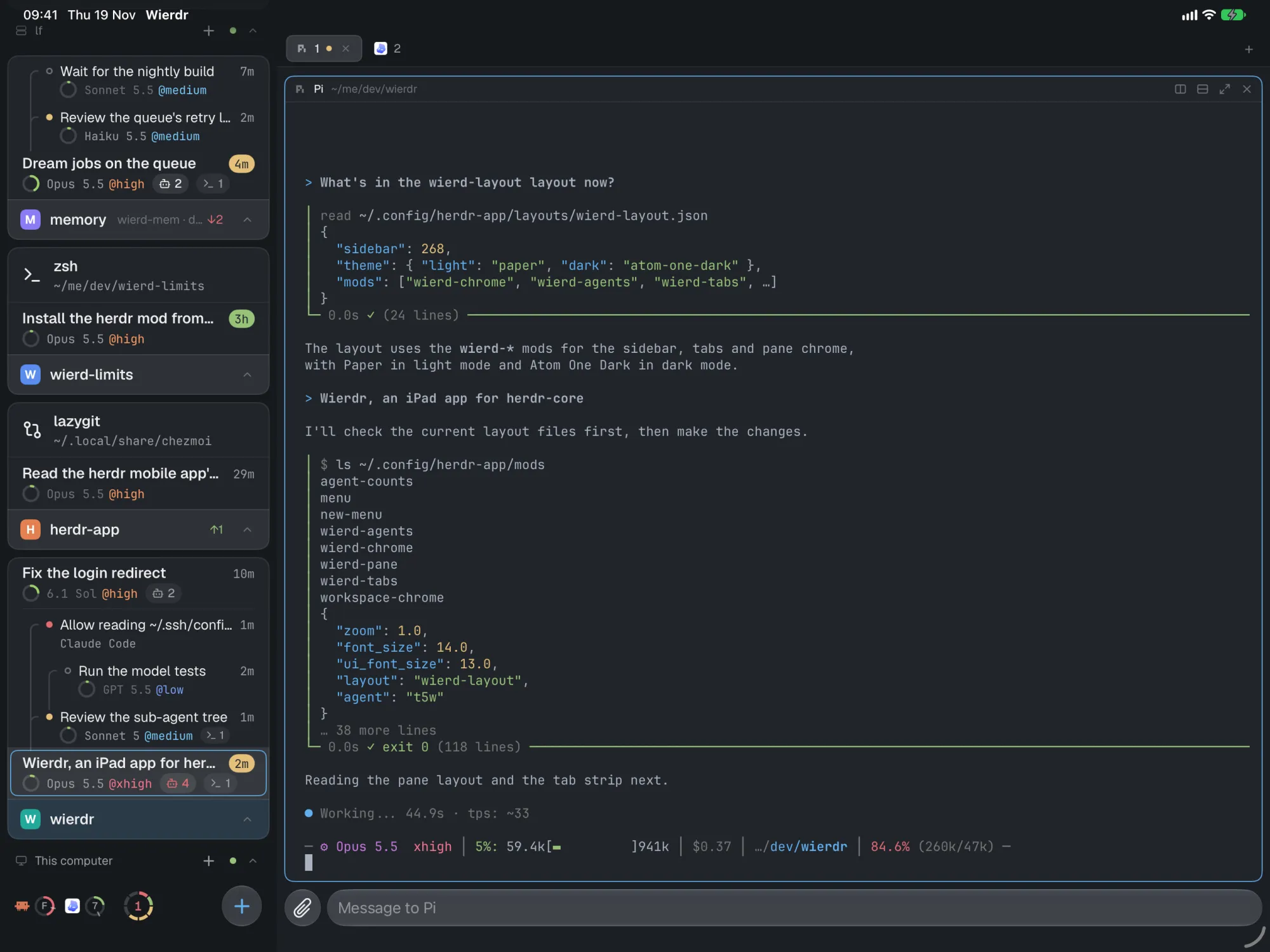
iPad
A full command center on iPad.
The sidebar next to split panes and tabs, with the keyboard shortcuts you already know. Add a keyboard and it feels like your desk.
⌘T⌘N⌘P⌘]
And more
Thoughtful down to the details.
Subscription limits
See how much of your Claude and Codex limits you've used, for the 5‑hour window and the week.
In sync with your desk
Start agents, create and split spaces and tabs — Herdr on your Mac sees it instantly. Read on one, read on both.
Set up in a tap
Wierdr installs its Mac companion and the agent integrations for you. No terminal needed.
Every machine
Your Mac and every machine it's connected to, side by side in one place.
Made for each device
One-handed on iPhone, controls at the bottom, swipe back. Split panes and shortcuts on iPad.
Try it right away
A demo with agents that answer, and a guided tour. No Mac needed to look around.
Private by design.
Wierdr connects straight to your Mac over SSH. No account to create, no cloud in between, no tracking.
- Direct SSHYour terminals travel only between your device and your Mac.
- Keys stay on your deviceThe SSH key is made on your iPhone or iPad and lives in its Keychain.
- Sealed notificationsAgent names on your Lock Screen are encrypted with a key only your devices share.
- No account. No analytics.Nothing to sign up for, nothing watching you.
How it works
Up and running in minutes.
-
1
Install Herdr on your Mac
Herdr is where your coding agents live. Wierdr is its pocket companion.
-
2
Add your Mac in Wierdr
Enter its address — at home, or anywhere with Tailscale. Wierdr sets up the rest.
-
3
Go anywhere
Your agents find you on your iPhone, iPad and Lock Screen. Answer in seconds.
Go for a walk.
Your agents will find you.
Wierdr is coming soon to the App Store for iPhone and iPad.
Coming soon to theApp Store
View on GitHub