Subscription limits
See how much of your Claude and Codex limits you've used, for the 5‑hour window and the week.
New For Herdr, on iPhone & iPad
Every coding agent running in Herdr on your Mac, in your pocket. See which one needs you, jump into its live terminal and keep the work moving — from anywhere.
Free public beta. Coming soon to the App Store.
Sound familiar?
A permission prompt. A question. A finished task. Step away from your desk and they sit idle until you're back. Wierdr tells you the moment they need you — and lets you answer right away.
Needs you
Allow rm -rf build?
Done
Fix the login redirect
Working
Refactor the sidebar rows
At a glance
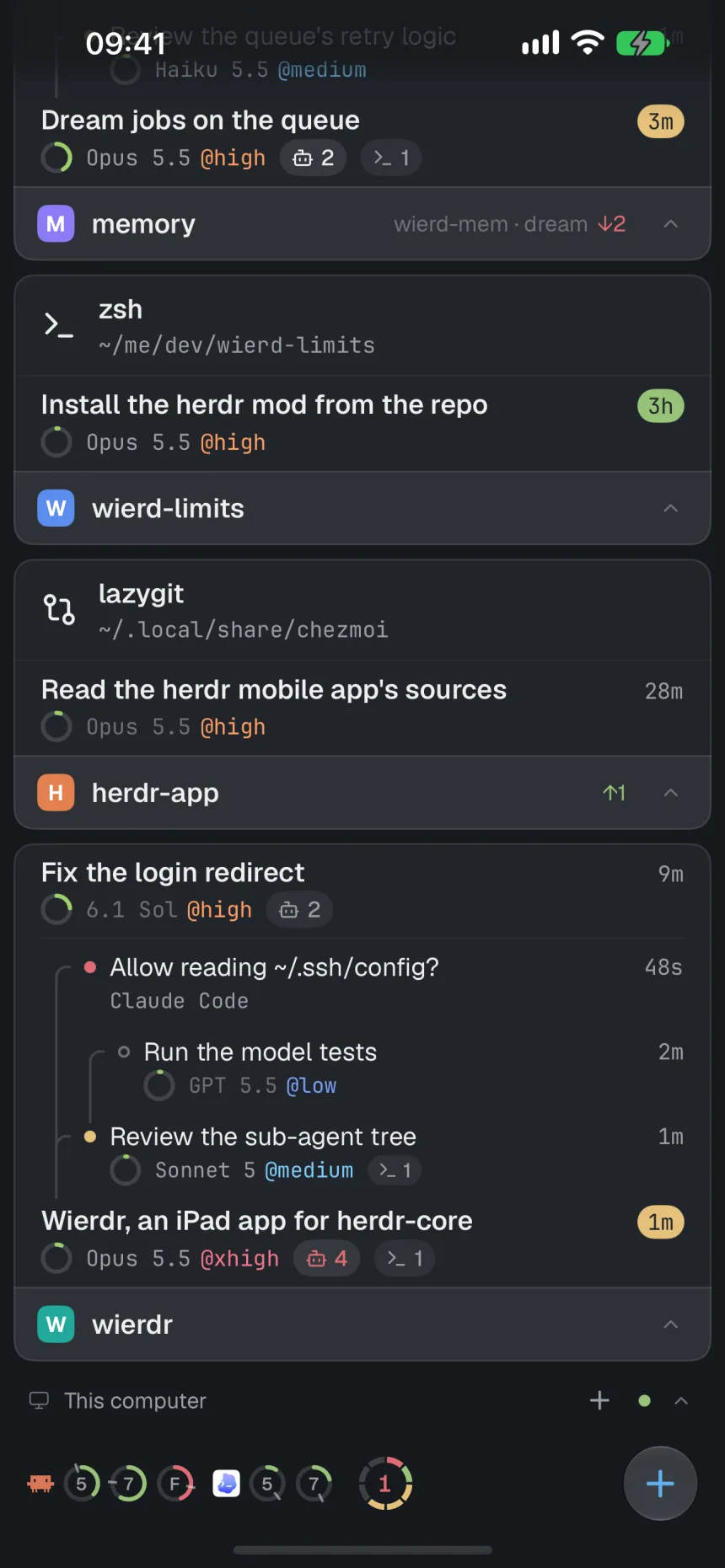
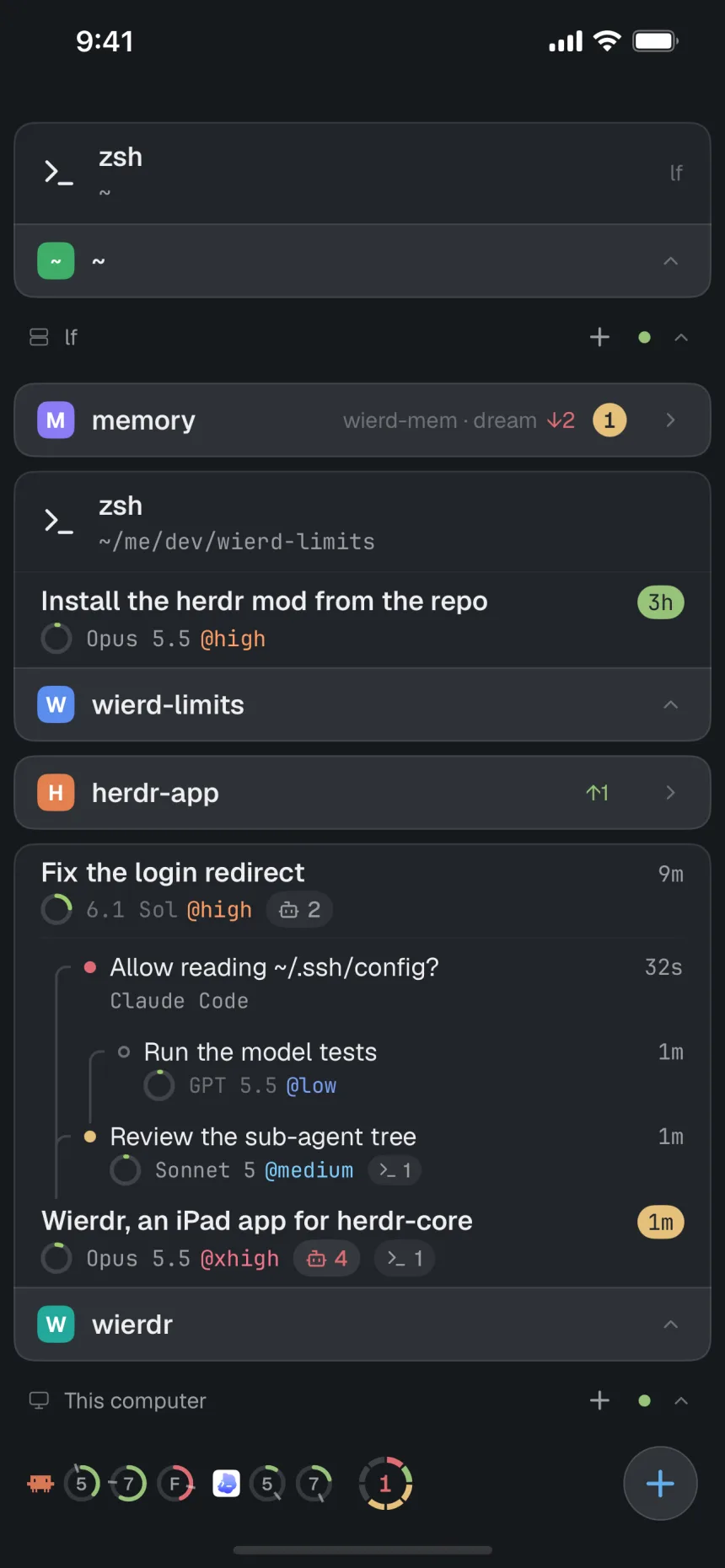
All your spaces, tabs and agents — on your Mac and every machine it's connected to. Color-coded by status, with the model, reasoning effort, context and sub-agents right there.
Real terminals
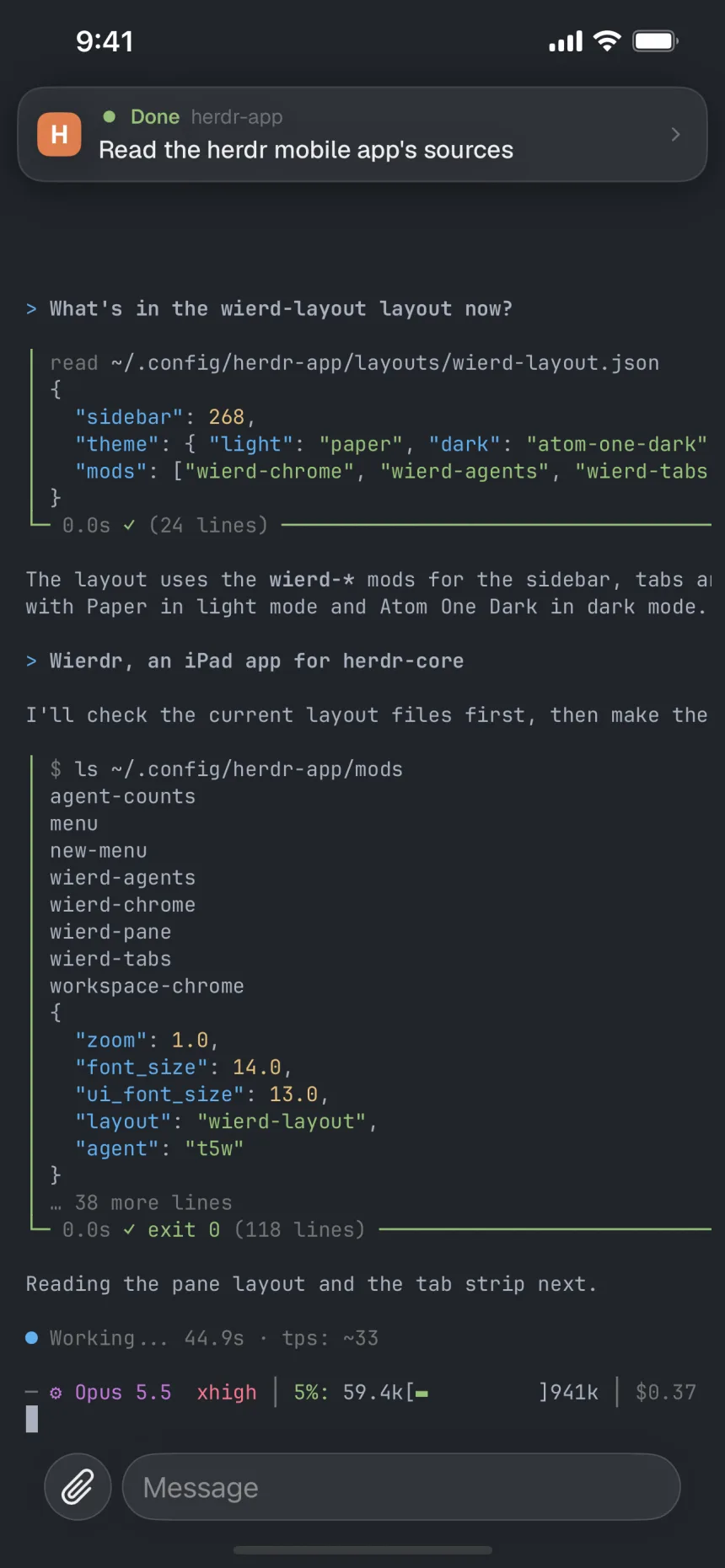
Not a chat imitation — the agent's real, live terminal. Approve a command with one tap, answer a question, send the next prompt.
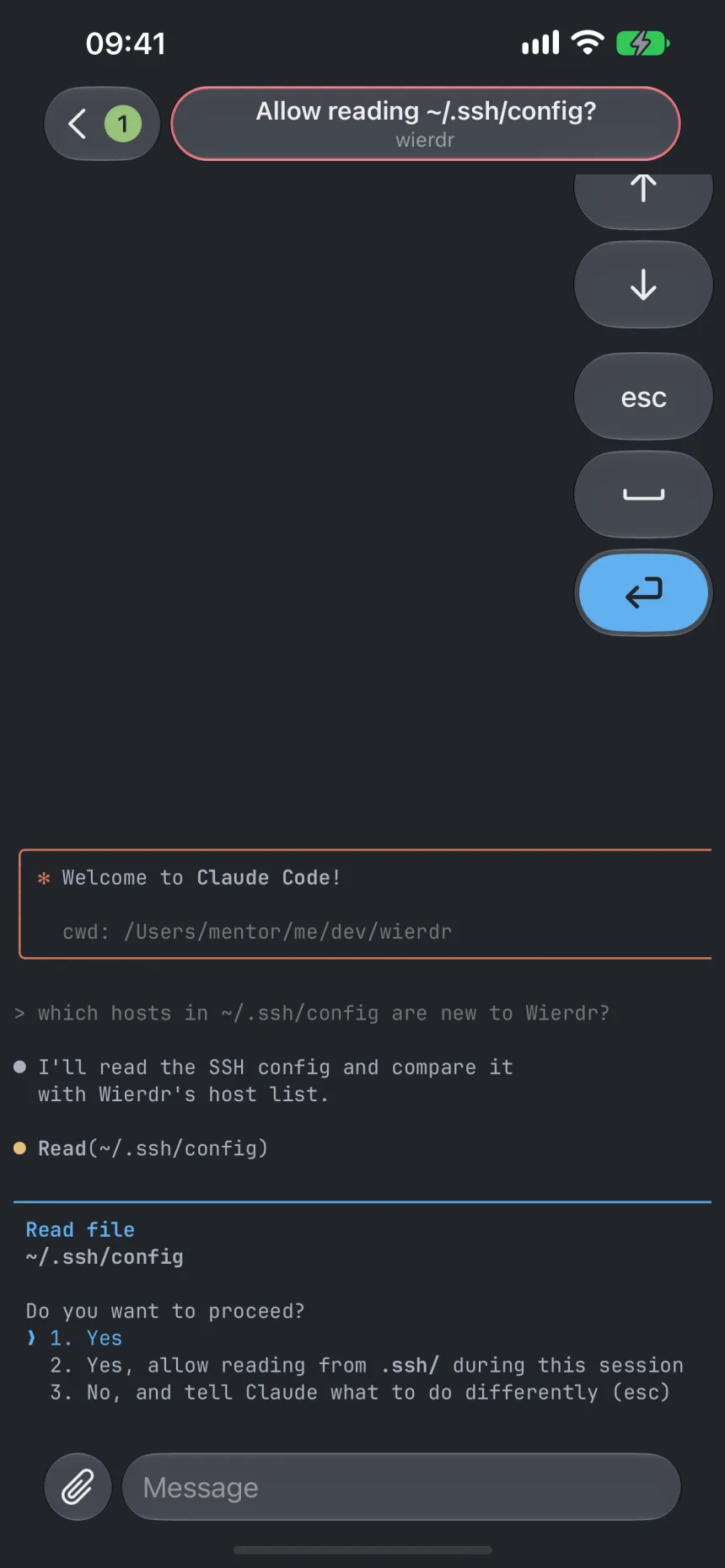
Live Activity
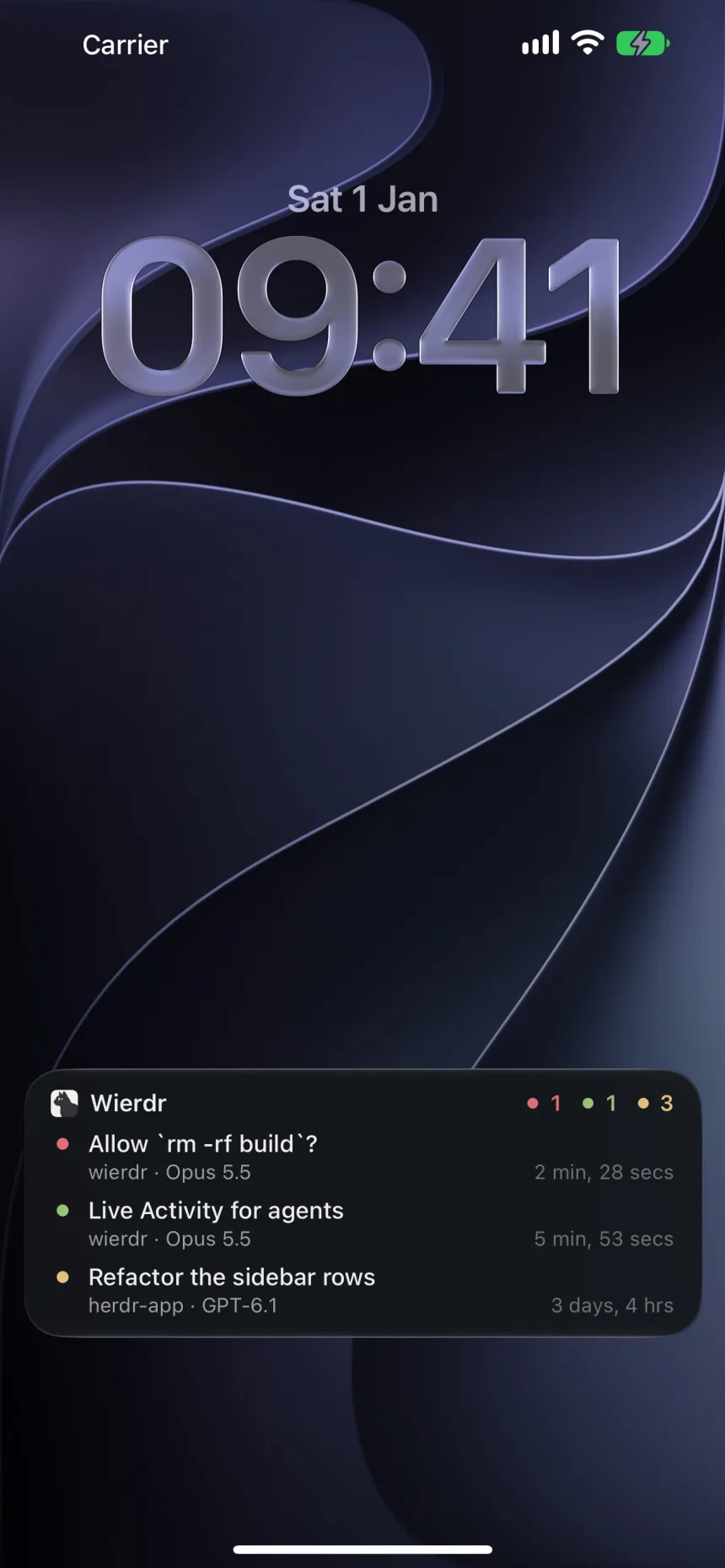
A Live Activity counts your agents by status and shows the most urgent ones — even with Wierdr closed. Your screen lights up the moment an agent needs you. And yes, it lives in the Dynamic Island too.
iPad
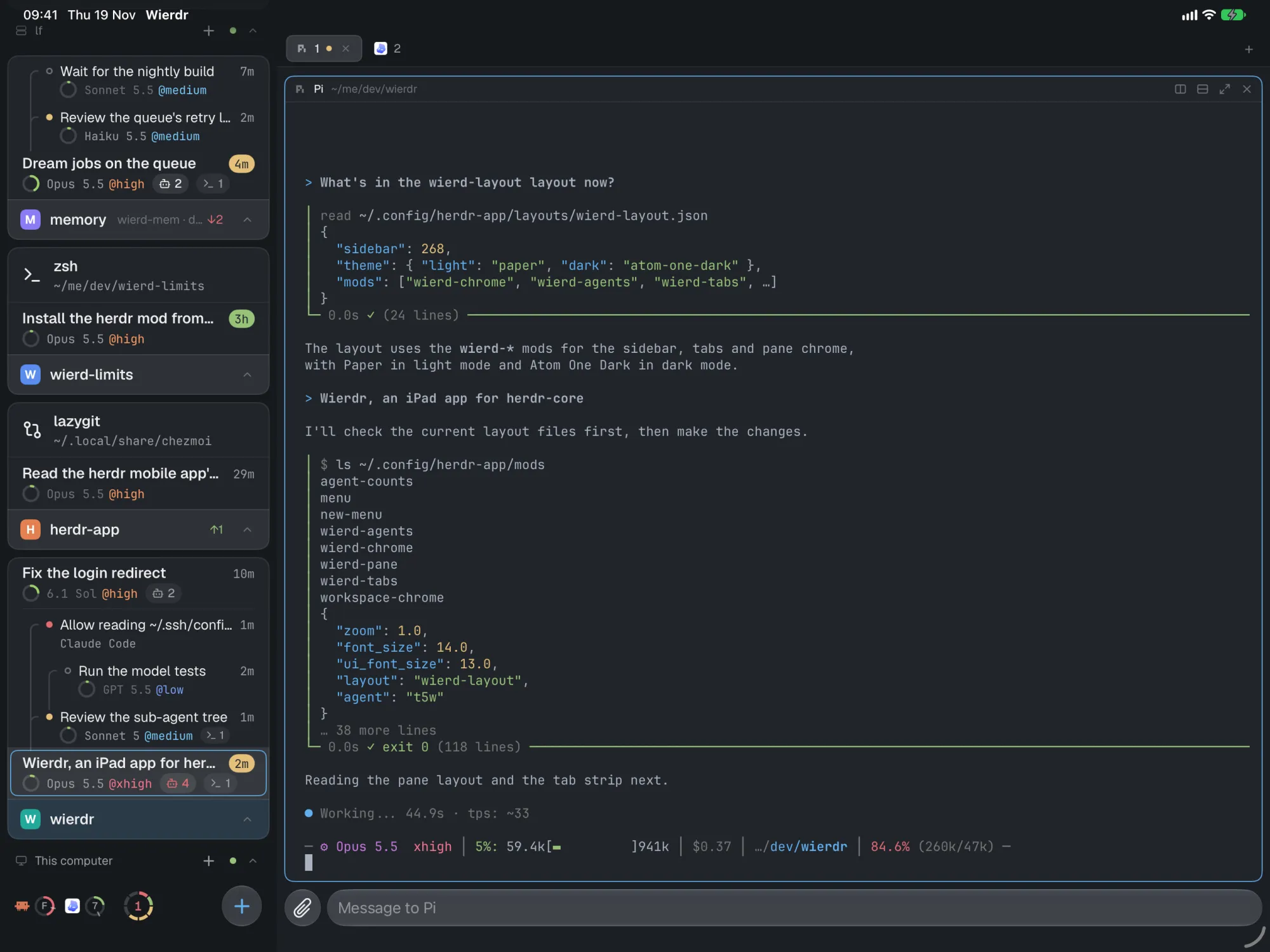
The sidebar next to split panes and tabs, with the keyboard shortcuts you already know. Add a keyboard and it feels like your desk.
And more
See how much of your Claude and Codex limits you've used, for the 5‑hour window and the week.
Start agents, create and split spaces and tabs — Herdr on your Mac sees it instantly. Seen on your phone, marked read on your Mac.
Wierdr installs its Mac companion and the agent integrations for you, in a few taps.
Pull the list up, or press ⌘P, and jump to any agent or space with a few letters.
At home on Wi‑Fi, or across the world through Tailscale. Your Mac is always a tap away.
A demo with agents that answer, and a guided tour. No Mac needed to look around.
Wierdr talks to your Mac directly over SSH. No cloud between you and your terminals, no account, no tracking.
How it works
Herdr is where your coding agents live. Turn on Remote Login, and your Mac is ready.
Enter its address — at home, or anywhere with Tailscale. Wierdr offers to set up the rest.
Reply from your iPhone or iPad. Your iPhone's Lock Screen shows who needs you. Answer in seconds.
Join the beta for iPhone and iPad today. Coming soon to the App Store.